Search | Sitemap | About us | Contact |
Home | Products | Download | Support | Order/Buy

PDF Annotator®

Annotate, Edit and Comment PDF Files

PDF Annotator - Annotate, Edit and Comment PDF Files

NEW! PDF Annotator 2 has just been released! See what's new...

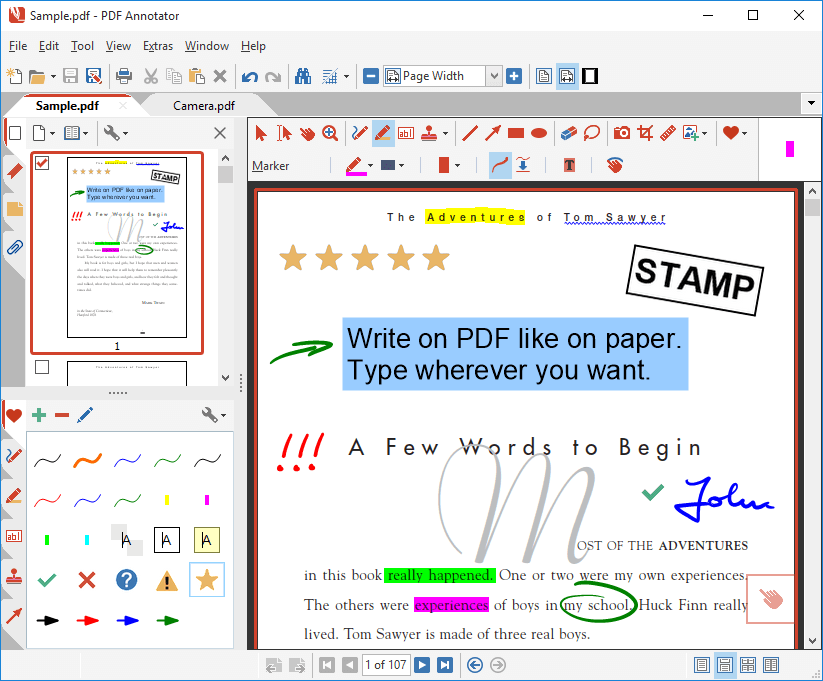
Add notes & annotations to any PDF document - comments, corrections, signatures, highlighting, even designs and drawings.
 
Save annotations in the original file. Share them with coworkers, email them to partners or back to the authors - with no special software needed to view the marked up document.
 
Type comments on top of PDF content, paste in images, use a stylus or drawing tablet if you have them.

Try Now!
Download 30-day trial
Buy Now for $69.95!
Discounts available

Winner at Microsoft Tablet PC Contest "Does Your Application Think in Ink?" sponsored by HP and PC Magazine! Read more...

Restore to the original document at any time. Remove or hide all markup with just one click.
 
Insert blank pages for more space. Combine documents, copy, re-order or remove pages.


Screenshots

Testimonials

Press Voices

Awards


Who needs PDF Annotator? - You do, if you want to:

Make a short comment on a long document
Fill in or sign a form or agreement, and return it by email
Proofread, review and correct a document right on your screen
Make notes and drawings right on the pages
Illustrate your ideas and suggestions
Correct student papers right on your PC, laptop or Tablet PC

"You're doing a great job for providing such a good application. Keep up the good work."

Bilgin Esme

Istanbul, Turkey


Save time, paper and hassle with PDF Annotator!

PDF Annotator - PDF-Dateien kommentieren an Ihrem Tablet PC PDF Annotator lets the user open any PDF file and add annotations, using the mouse or a Tablet PC pen, directly on the PDF file's pages. The annotated documents can then be saved directly back to PDF format. In this way, anyone can read or print the annotated PDF documents. Annotated documents can also be easily attached to emails.

Previously, annotating, commenting or proofreading a document received for review in PDF file format was possible only by using multiple software products in a row--or only by printing the document and adding comments manually. With PDF Annotator, annotations can also be added in a natural way--using a pen--but everything remains in digital format. PDF Annotator allows commenting of PDF files in a single step.

"I love your PDF Annotator. It is an awesome piece of software. Saves me a bunch of steps when signing documents and returning them electronically. My TabletPC just became about 10 times more useful because of it."

Steve Martin

smart-technology.biz

The user no longer needs to print a PDF document to annotate it. A PDF file received for review can be opened in PDF Annotator, commented on the PC with the mouse or on the Tablet PC using the pen, then saved back to a PDF file in a single step. This saves both resources and time. With the Tablet PC, a PDF document is treated just like a normal printed document. The user just writes or draws his ideas and thoughts on the existing document.

"I have said it once but I will say it again…PDF Annotator is the BEST program I have ever used on a tablet PC!!!!!"

Don Tyler

Texas

PDF Annotator also lets you insert blank pages to gain more space for your comments. It can be used to fill in forms, and you can even use it for note-taking by creating new blank PDF documents.

PDF Annotator requires Windows XP, 2000 or Vista and has optional support for Tablet PCs.

Try Now!
Download 30-day trial
Buy Now!
Risk free, discounts available


PDF Annotator News

GottaBeMobile.com and Notebooks.com giveaway contest winners announced May 18, 2009
Win One of Three PDF Annotator Licenses with GottaBeMobile.com and Notebooks.com Apr 22, 2009
PDF Annotator Feature Spotlight: Text Search Apr 21, 2009
PDF Annotator Feature Spotlight: Page Management (Part 3) Mar 23, 2009
PDF Annotator Maintenance Release Available Mar 06, 2009
All News...
 
Tutorial

PDF Annotator Tutorial Video

Screenshots

Comment and Markup

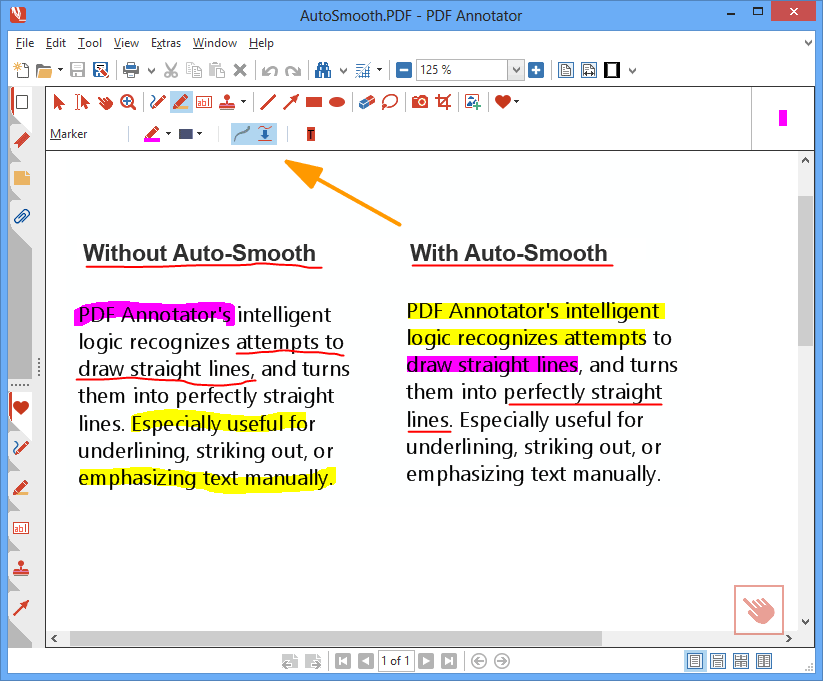
Auto-Smooth

Fly-in Toolbars

Text Tool Options

More Screenshots...

Bloggers say
Frank J Garcia from Ultra Mobile PC Tips: "PDF Annotator is one of those pieces of software that should be installed in any UMPC or Tablet PC." More...
It's Risk Free!
We want you to be 100% satisfied, so we offer an unconditional
60 day
MONEY BACK GUARANTEE