Search | Sitemap | About us | Contact |
Home | Products | Download | Support | Order/Buy

PDF Annotator®

Annotate, Edit and Comment PDF Files

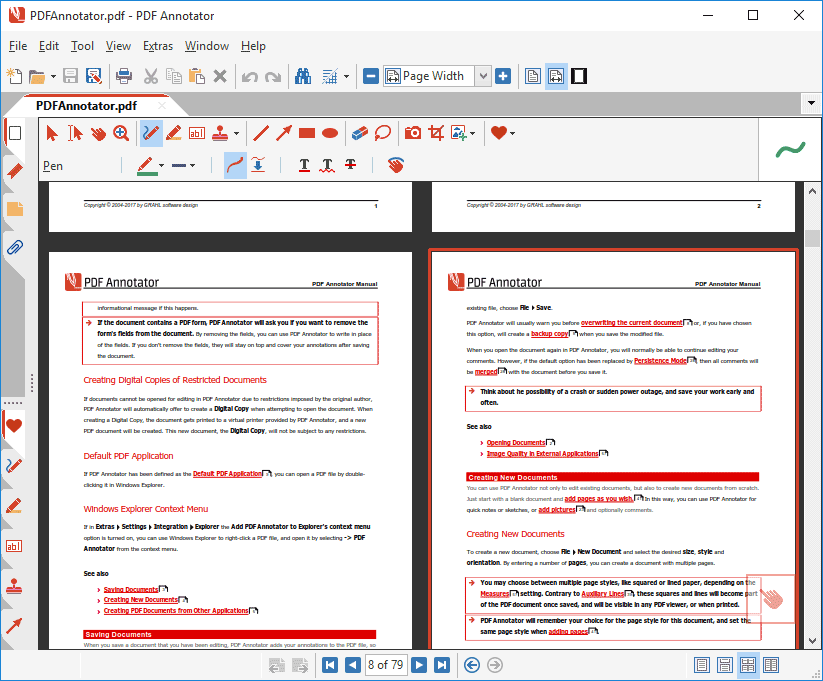
Comment and Markup - Annotations can be added using the pen in almost any color and different pen widths. Simply write your comments directly into the document! - Comment and Markup Comment and Markup

Annotations can be added using the pen in almost any color and different pen widths. Simply write your comments directly into the document!
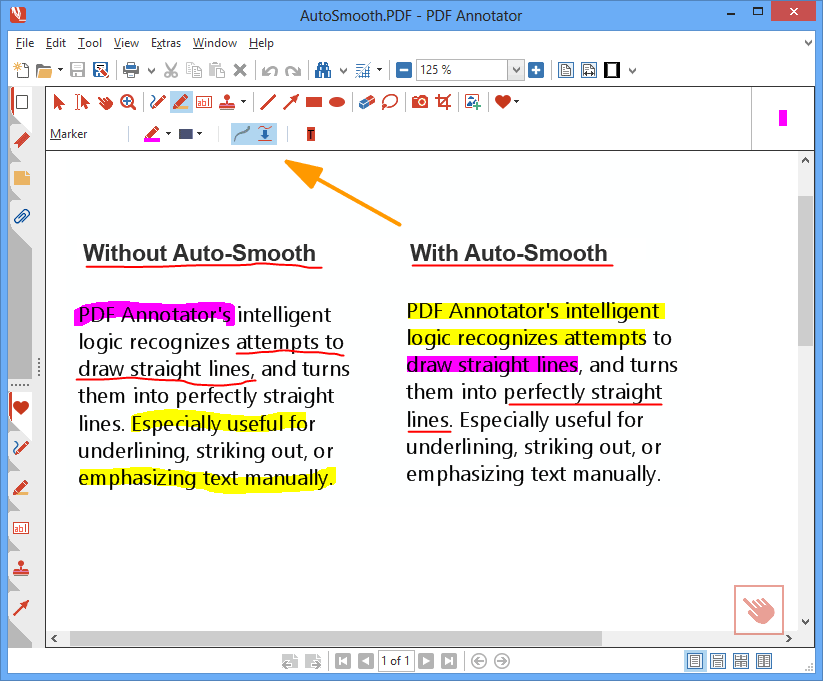
Auto-Smooth - PDF Annotator's intelligent logic recognizes attempts to draw straight lines, and turns them into perfectly straight lines. Especially useful for underlining, striking out, or emphasizing text manually. - Auto-Smooth Auto-Smooth

PDF Annotator's intelligent logic recognizes attempts to draw straight lines, and turns them into perfectly straight lines. Especially useful for underlining, striking out, or emphasizing text manually.
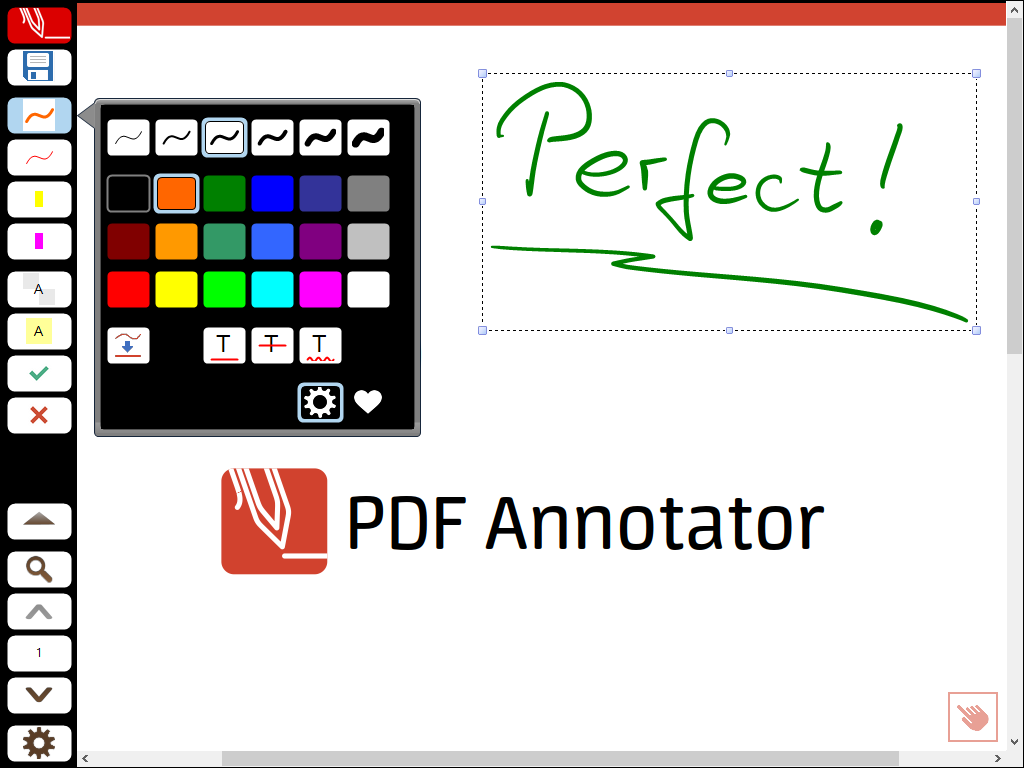
Full Screen Mode - Use PDF Annotator in full screen mode for your presentations to be able to mark up and complete your slides or worksheets live on the screen. - Full Screen Mode Full Screen Mode

Use PDF Annotator in full screen mode for your presentations to be able to mark up and complete your slides or worksheets live on the screen.
Fly-in Toolbars - Make use of the unique fly-in toolbars in full screen mode, which don't occupy much space, but are available at any time. - Fly-in Toolbars Fly-in Toolbars

Make use of the unique fly-in toolbars in full screen mode, which don't occupy much space, but are available at any time.
Page Layout Modes - Select between single page and two pages, whole page and continuous view. - Page Layout Modes Page Layout Modes
Select between single page and two pages, whole page and continuous view.
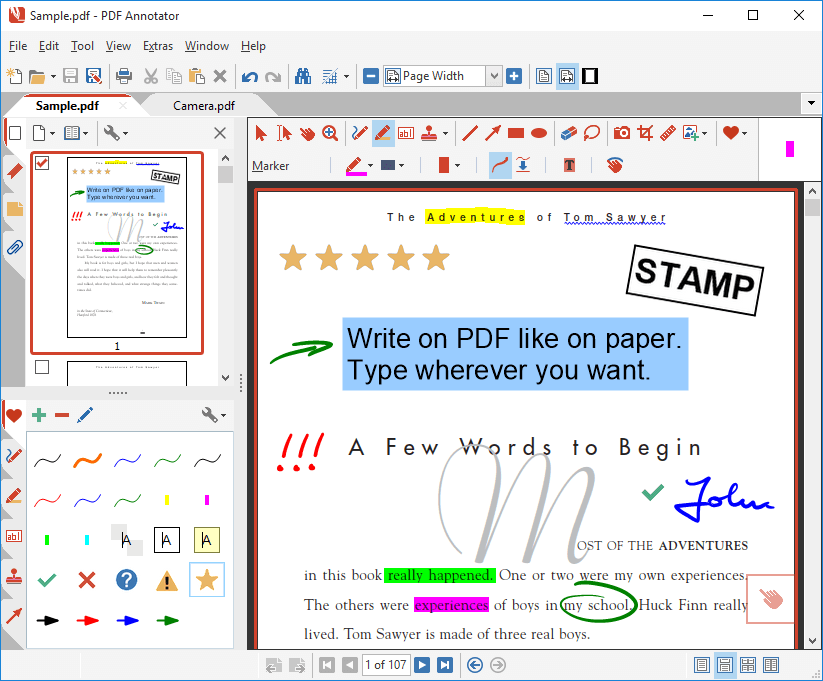
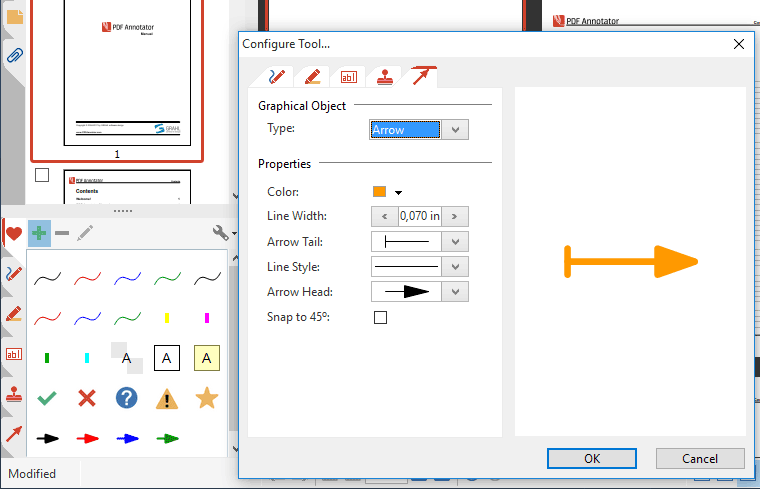
Tool Configuration - Freely configure the tools in your toolbox. Create the tools you need without restriction. - Tool Configuration Tool Configuration

Freely configure the tools in your toolbox. Create the tools you need without restriction.
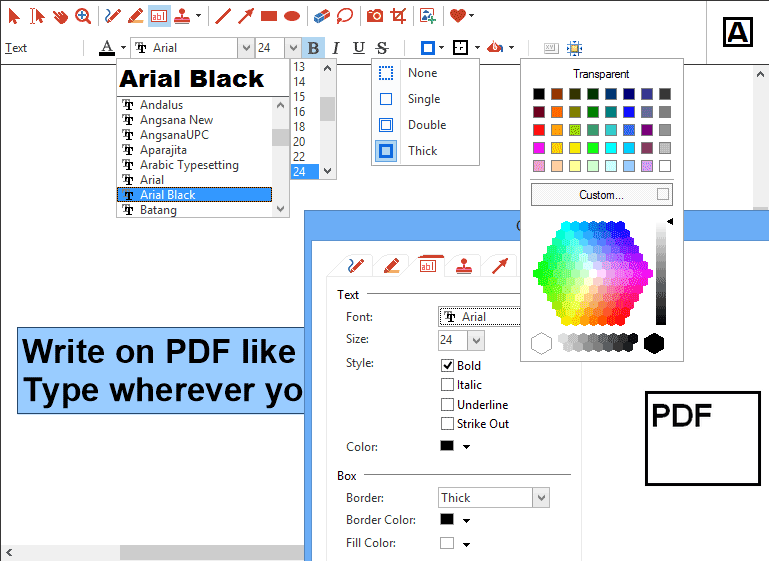
Text Tool Options - All tools support various style properties, like different colors, borders, fonts and widths. - Text Tool Options Text Tool Options

All tools support various style properties, like different colors, borders, fonts and widths.
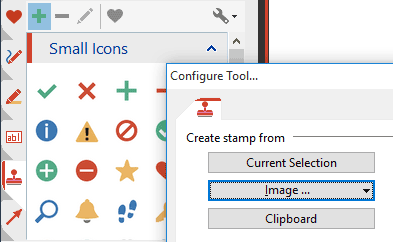
Stamps - Re-use symbols, drawings, images or text boxes and use them as stamps. - Stamps Stamps
Re-use symbols, drawings, images or text boxes and use them as stamps.
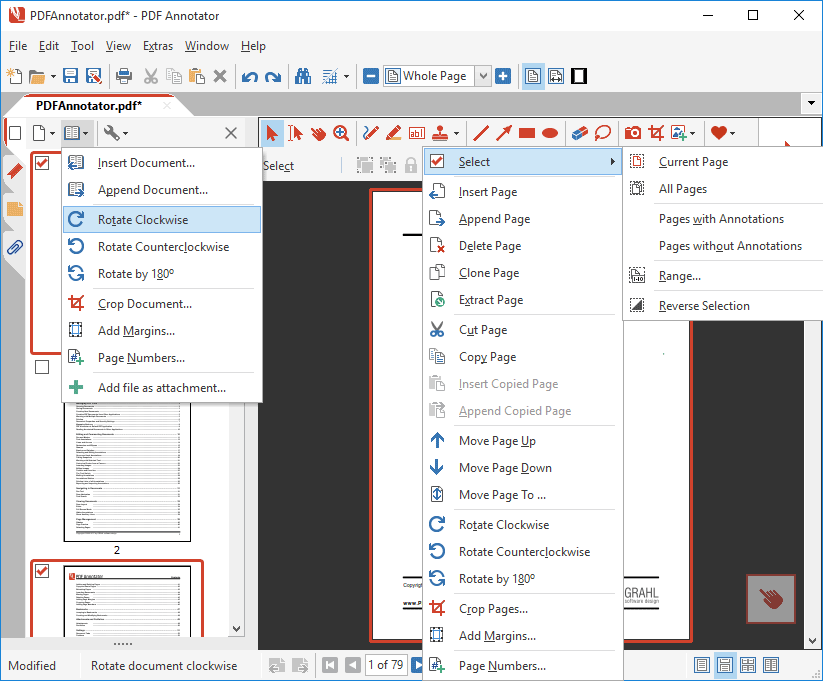
Page Management - Insert, clone, delete or reorder pages or even insert or append complete documents so you can merge multiple documents into a single one. - Page Management Page Management

Insert, clone, delete or reorder pages or even insert or append complete documents so you can merge multiple documents into a single one.
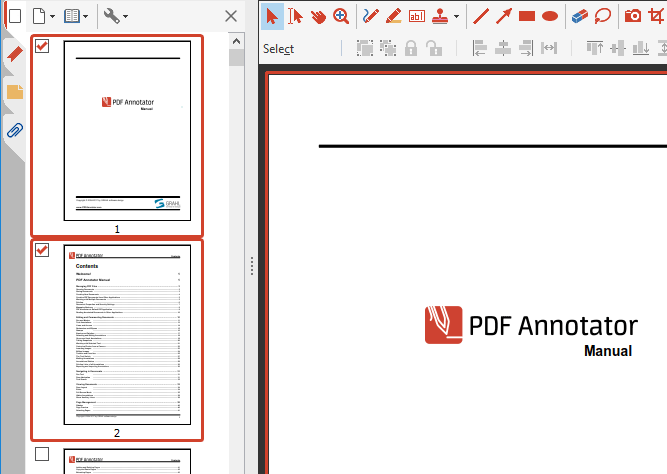
Page Preview - Quick expandable thumbnail view with multi-select support for all page operations. - Page Preview Page Preview
Quick expandable thumbnail view with multi-select support for all page operations.
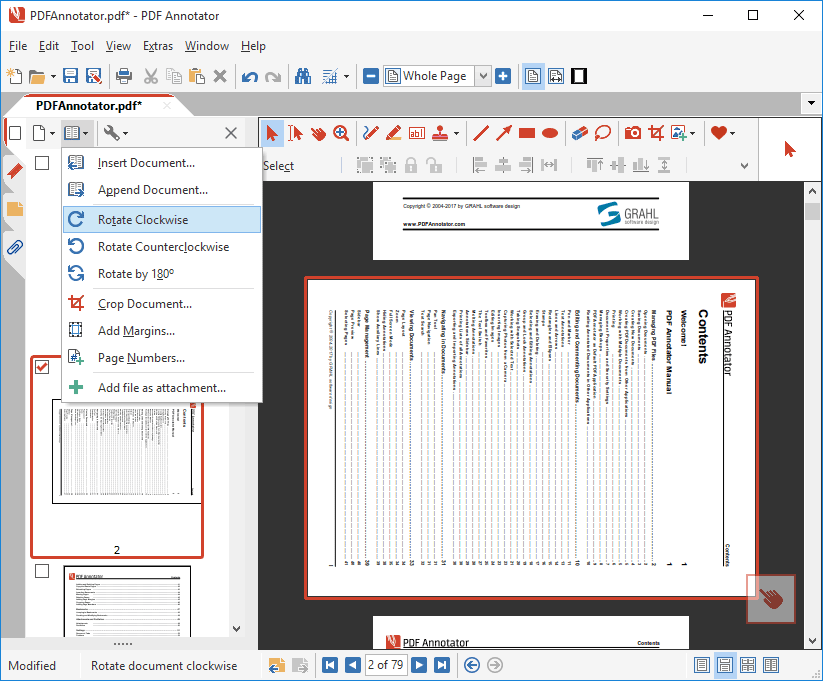
Rotate Pages - Permanently rotate single page or the entire document. - Rotate Pages Rotate Pages

Permanently rotate single page or the entire document.
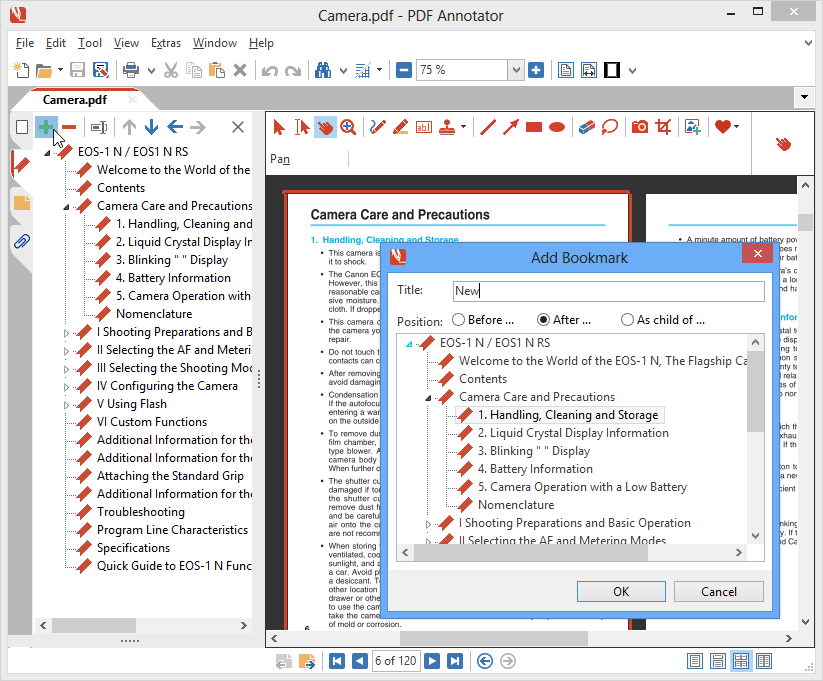
Bookmarks - Quickly jump to bookmarks within the document. Create your own bookmarks and edit existing ones. - Bookmarks Bookmarks

Quickly jump to bookmarks within the document. Create your own bookmarks and edit existing ones.
Settings - Set up PDF Annotator for your personal needs. - Settings Settings

Set up PDF Annotator for your personal needs.
Update Wizard - Don't miss new versions of PDF Annotator with the integrated automatic update wizard. - Update Wizard Update Wizard

Don't miss new versions of PDF Annotator with the integrated automatic update wizard.
  B U Y   I T   »
  T R Y   I T   »
Awards
PDF Annotator awarded Second Place at the 2007 Epsilon Awards More
Testimonials

"The trial period sold me on PDF Annotator and the price was far and away the lowest for the high functionality. Good job!"

M. Stone

California

"It saves me a tremendous amount of time now that I can sign forms and documents on my tablet without having to print them out, have them signed, then re-scan back into the PC."

Darren Craig

Great Britain

More PDF Annotator Testimonials...
It's Risk Free!
We want you to be 100% satisfied, so we offer an unconditional
60 day
MONEY BACK GUARANTEE